A single subject does not become a good X thread, LinkedIn post and short-video script just because it is pasted into three boxes. Each destination needs a suitable opening, structure and next step. The owner-provided screenshots show how ViralForge brings several of those drafting decisions into one workspace.
This guide follows the visible sequence rather than presenting an invented account test. For the buying judgement and limitations, begin with our ViralForge review. For costs and entitlements that remain unresolved, use the pricing and launch checklist.
1. Choose a useful angle from the trend feed
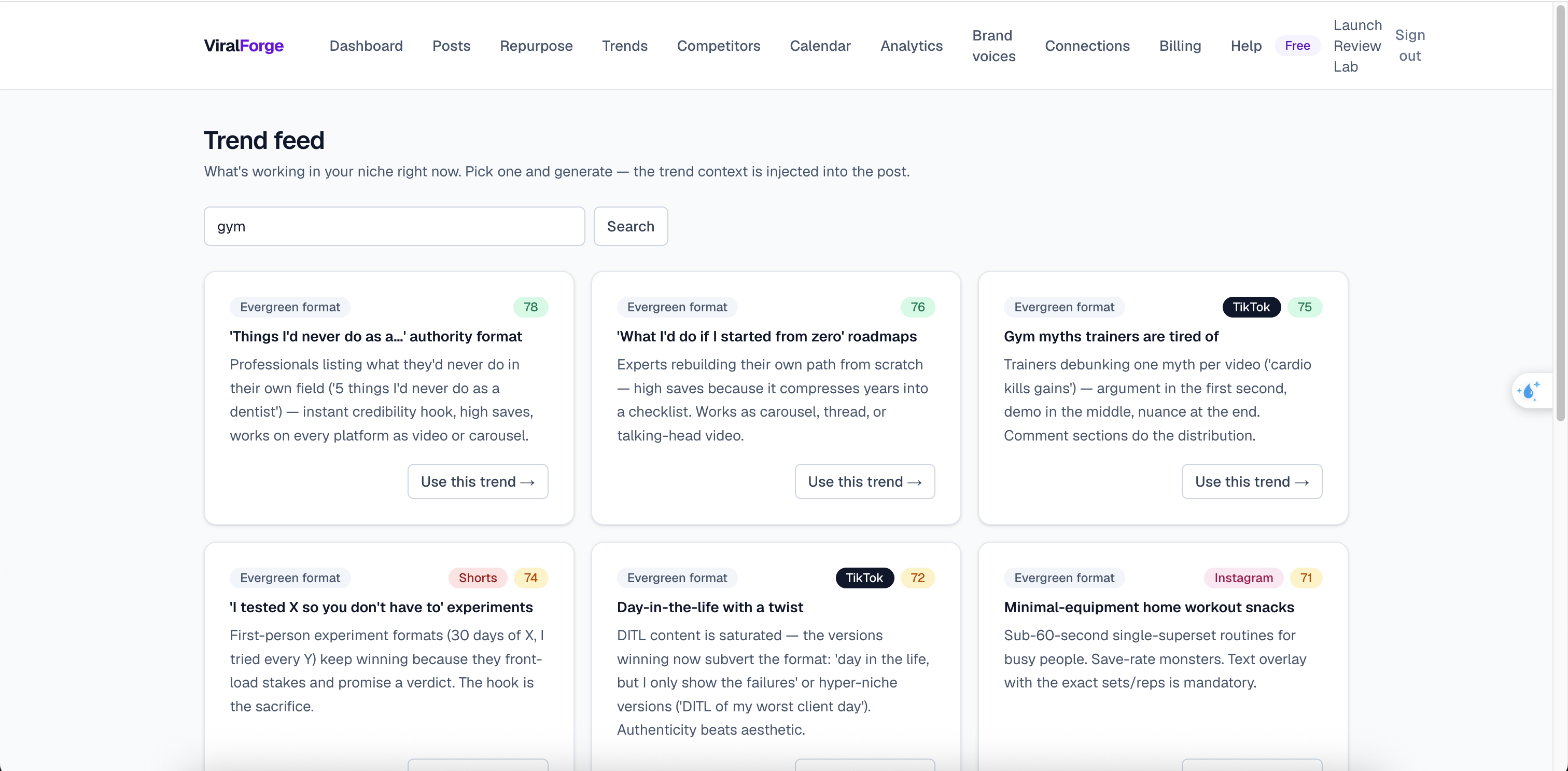
The captured Trends screen contains a niche search and cards for repeatable content formats. The gym example includes expert roadmaps, myth corrections and everyday routines. A “Use this trend” control provides the bridge from suggested angle to a new post.
Start with the audience question behind a suggestion. A content format can be reusable without being evidence that a particular topic is currently breaking out. Cards labelled “Evergreen format” should not be described as independently verified real-time trends. Likewise, a numbered badge is not a forecast of impressions.
2. Set the platforms and the brand voice
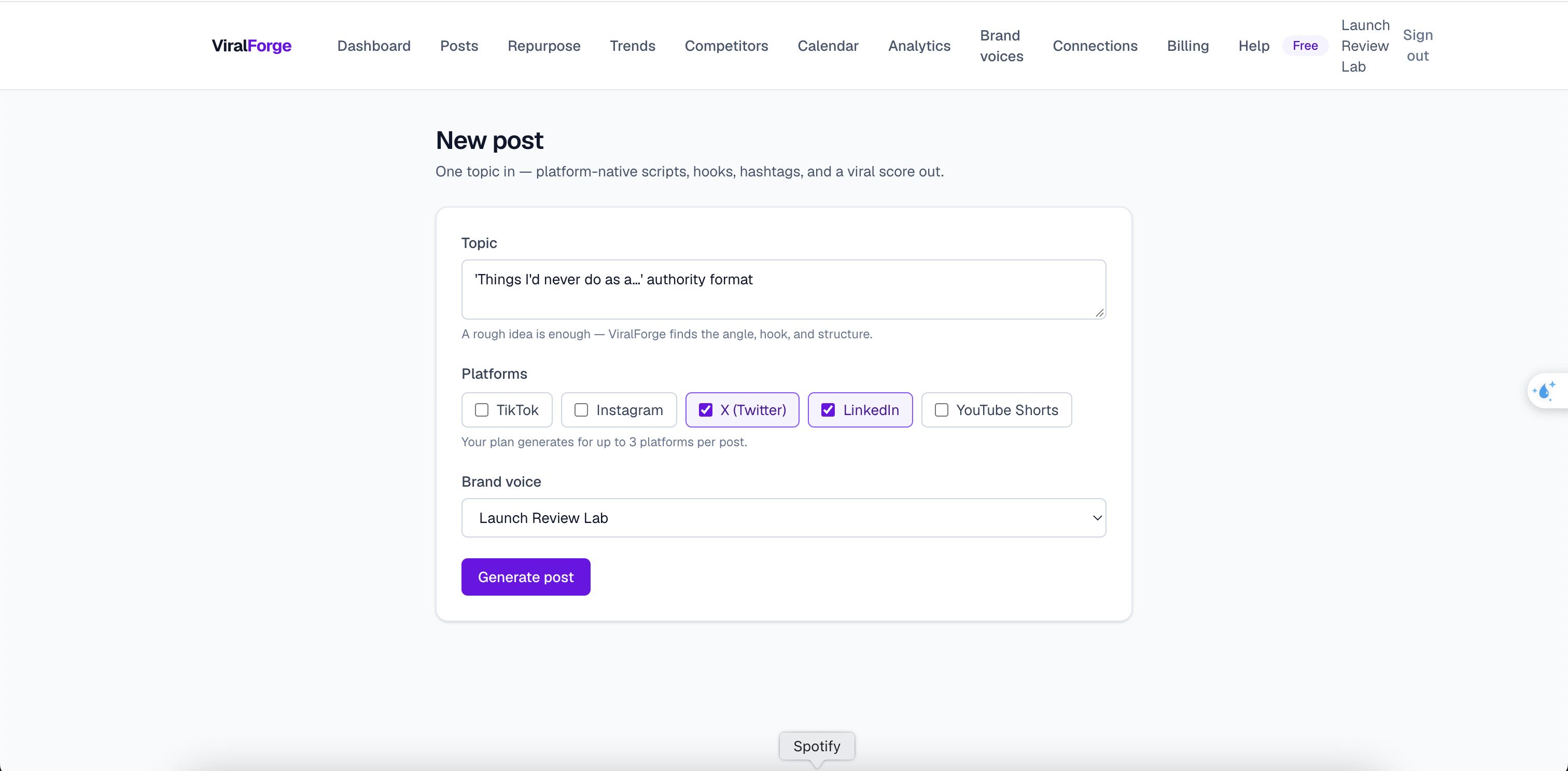
The new-post screen offers a topic field, five platform choices and a saved brand-voice dropdown. In the supplied example, X and LinkedIn are selected. The account-level note says up to three platforms per post; that is an observed interface message, not the confirmed entitlement of the forthcoming paid licence.
Give the composer a specific point of view, intended reader and useful next step. If your offer is a practical checklist, ask for a post that teaches one decision and links to the checklist naturally. Avoid instructions that require fabricated experiments, customer numbers or claims you cannot substantiate.
A saved voice can help with consistency, but the screenshot does not establish how the profile was trained or how faithfully every generation follows it. Read the output aloud and remove phrases your business would not actually use.
3. Compare hooks before accepting the draft
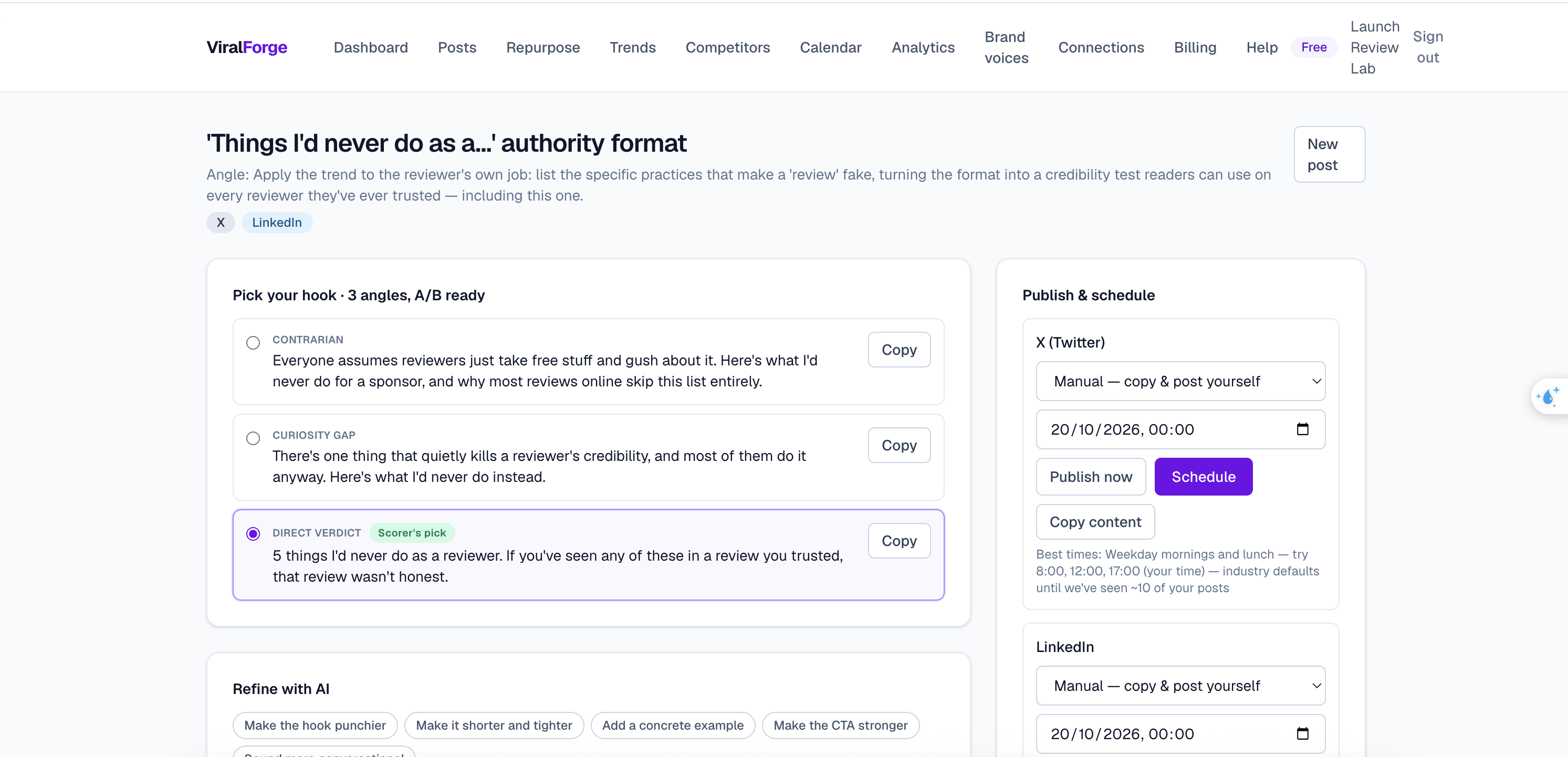
The generated workspace shows three openings: contrarian, curiosity gap and direct verdict. One is labelled the scorer’s pick. These alternatives make the first sentence a deliberate editorial choice instead of an incidental by-product of generation.
Choose the opening that the rest of the post can honestly deliver. A curiosity hook that withholds a simple answer can feel manipulative, while a contrarian hook without evidence is just a louder assertion. The preferred software option need not be your preferred editorial option.
4. Review the thread and use the score as feedback
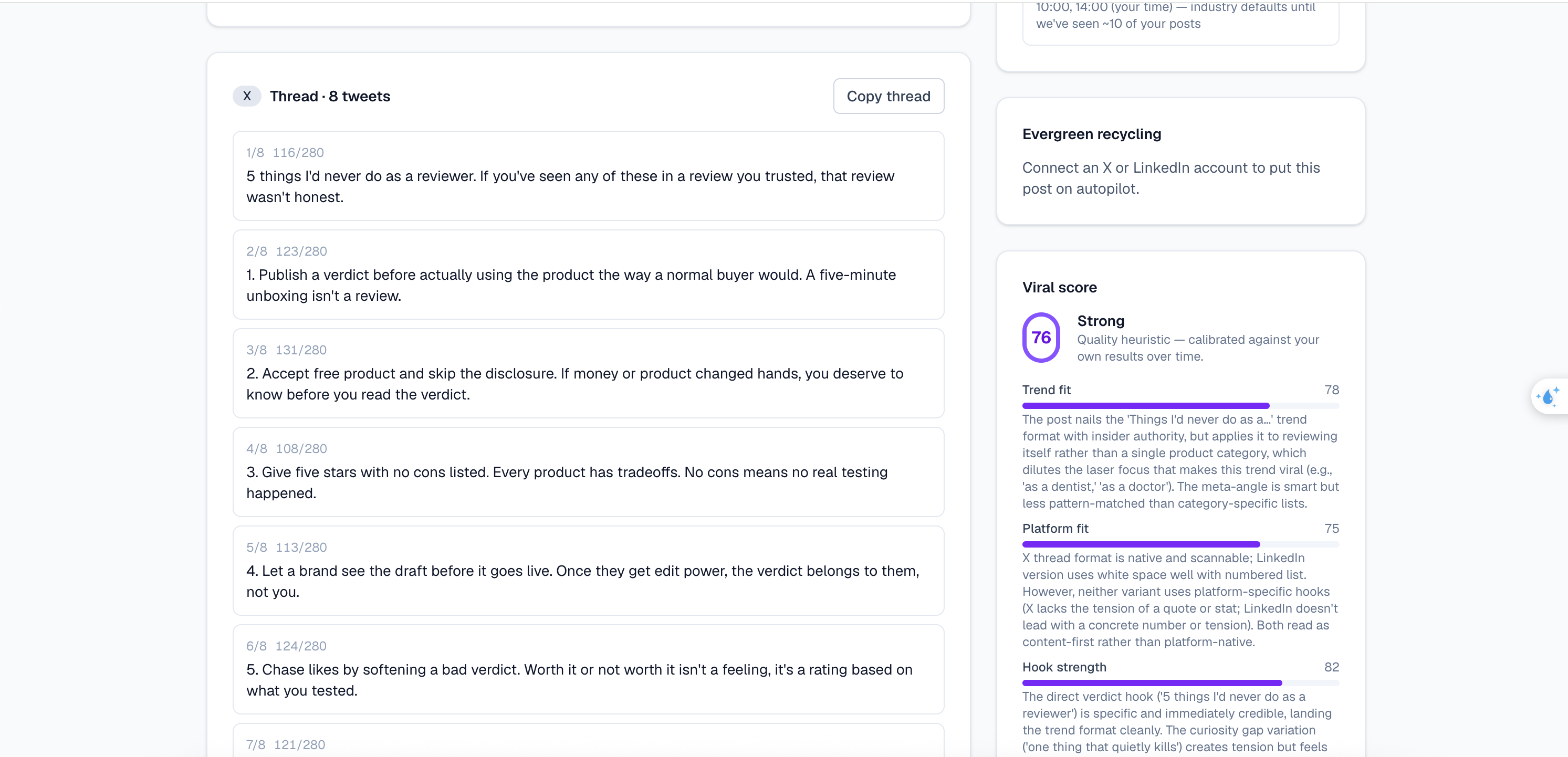
The sample X output is split into eight items with character counters and a copy-thread control. Beside it, the score panel separates trend fit, platform fit and hook strength. That separation is useful because the weakest part of a post is not always its grammar: it may be the angle, the destination or the opening.
Review the complete sequence. Does the opening match the conclusion? Are the examples yours to share? Can an individual item be misunderstood out of context? Treat any claim about products, clients, money or first-hand experience as a separate fact-checking task.
5. Check the destination before scheduling
The supplied workspace shows scheduling dates and publish controls, but X and LinkedIn are set to manual copy-and-post. Another panel explicitly asks for a connected account before evergreen recycling can run. These details matter more than a generic “autopilot” headline.
For manual mode, copy the reviewed text and inspect its formatting in the destination platform. For a connected workflow, check the account identity, permissions, timezone and supported content type first. A calendar entry alone is not proof that a post was delivered; verify it in the platform after your own authorized test.
A practical first content brief
Pick one question your customers ask regularly. Prepare a short factual answer, one genuine example and a low-pressure next step. Generate for only the destinations you actually maintain, compare the hooks, and keep a copy of the final approved text outside the scheduler.
That is a more useful initial exercise than trying to fill an entire month with unreviewed output. If this matches how you work, see who ViralForge is best suited to; if not, adding more automation will not resolve an unclear message.
Frequently asked questions
Can I generate for several platforms from one topic?
The supplied composer shows multiple platform selections and an account-specific allowance of up to three platforms per post. This demonstrates the visible workflow, not the paid launch licence limits. Confirm the final plan allowance and review each destination’s output separately.
Should I always select the scorer’s preferred hook?
No. A scorer’s pick is editorial feedback, not proof that the opening will outperform alternatives with your audience. Select a hook that is accurate, relevant and supported by the rest of your post.
Do these screenshots prove automatic posting works?
No. The visible X and LinkedIn modes are manual, and the recycling panel requires an account connection. Successful connected publishing would need a separate authorized test and confirmation in the destination account.
Does this workflow create a finished TikTok video?
The vendor homepage describes scripts and shot lists for short-form video, which are production inputs rather than finished rendered clips. The supplied generated-output captures show text content. Do not assume a video-rendering entitlement without checking the actual plan.
Evidence base: owner-supplied interface captures and the public vendor homepage, reviewed October 19, 2026. Paid launch terms remain unverified. This is an affiliate editorial guide, not the official service or evidence of measured performance. Read the disclosure and review method.